Everyone in the same system, each in their own role
In-house staff, managers, consultants and contractors working together, with role-based access and a record of who did what.
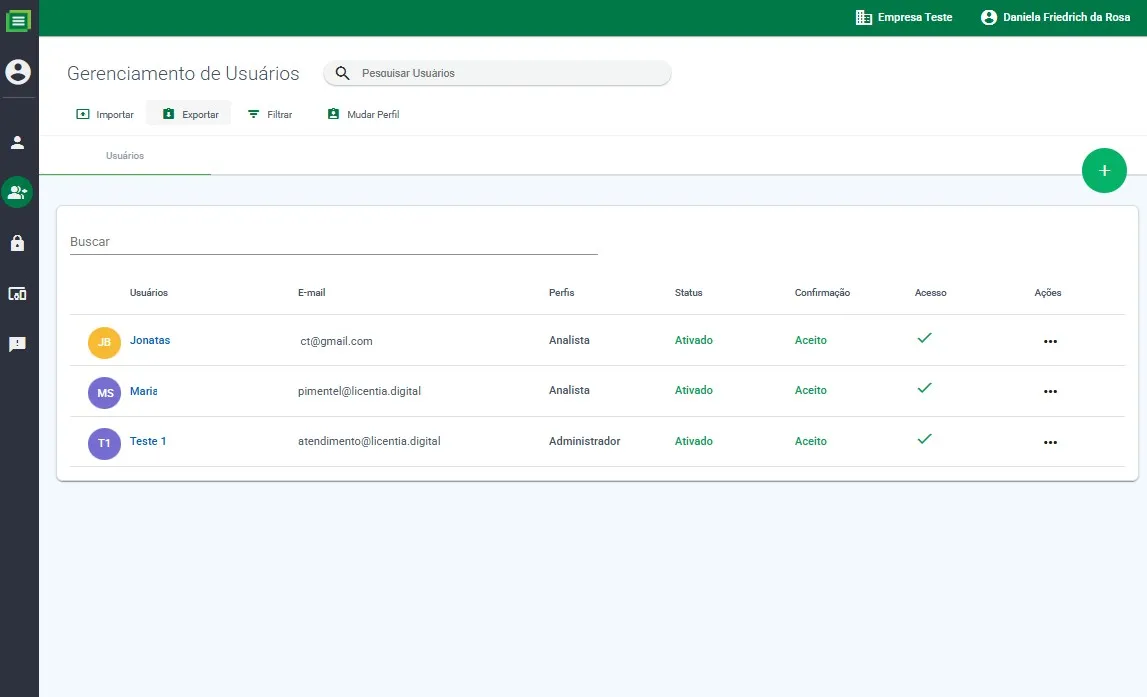
What you control
Roles and permissions
Manage the users and teams involved in environmental licensing with role-based access control. Set permissions, assign responsibilities and keep information secure and traceable.
- Role-based access control
- Create, edit and delete permissions
- Owner assignment across licensing work
- Activity followers
- Access for consultants and contractors
Why it matters
What changes day to day
Licensing involves outside people
Consultancies, labs and contractors produce much of the evidence. Instead of trading files by email, they log into the system with the access their role allows.
A named owner for everything
Every license, condition and activity has a defined owner. Anyone else who needs to follow along joins as a follower and gets the updates.
Traceability
Role-based create, edit and delete permissions make it clear who can change what, protecting the record you will present to the environmental agency.
Related modules
Activity management
Tasks linked to licenses, permit conditions and programs, with checklists.
Learn moreDocument management
Licenses, studies and evidence in one place, audit-ready.
Learn moreInteractive dashboards
Your company’s licenses, permit conditions and deadlines at a glance, in real time.
Learn moreFAQ
Roles and permissions
Can outside consultants get access?
What is a follower?
See roles and permissions in action
We will show you the module with the licenses and permit conditions of your operation.